Function Builder
phet.colorado.edu/en/simulations/function-builder
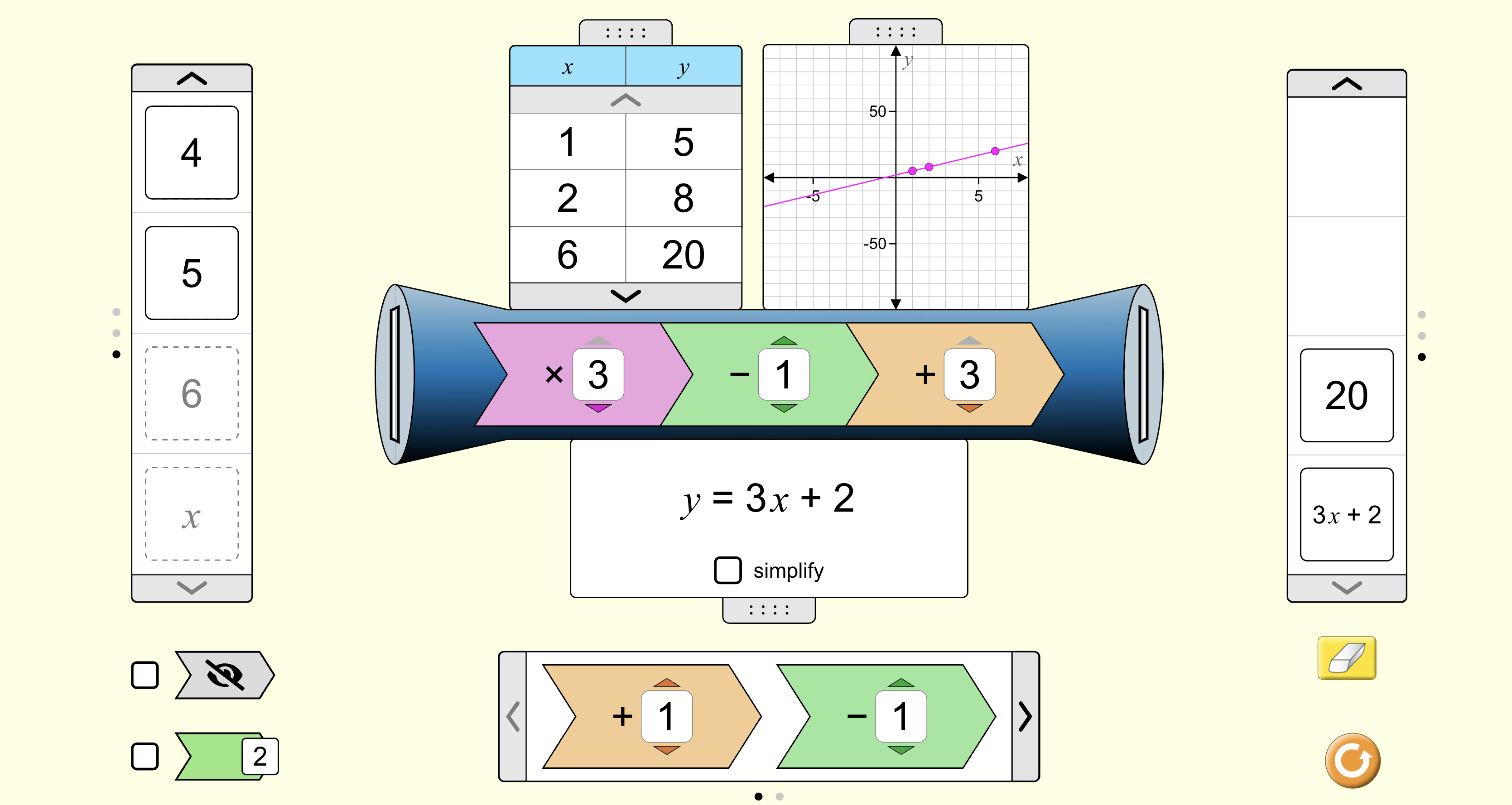
Function Builder is an interactive simulation that transforms abstract algebraic rules into a visual, mechanical process. It allows pupils to experiment with inputs and outputs, helping them conceptualise functions as machines that follow specific logical structures.
How the tool works
The tool uses a "function machine" metaphor where objects or numbers are processed through one or more operational "cogs" to produce a result.
- Multi-Stage Functions: Drag up to three different operational cogs into the builder to create and deconstruct composite functions.
- Representation Toggle: Switch between input/output tables, coordinate graphs, and formal algebraic equations to see how a function's rule dictates its visual form.
- Patterns Mode: Use geometric patterns and transformations to understand the core concept of a mapping before moving to numerical algebra.
- Mystery Mode: Challenge pupils to deduce a hidden function by testing various inputs and observing the resulting outputs on a graph or table.
Classroom Uses
Bridging Patterns and Algebra
For younger KS3 pupils, the transition from visual patterns to abstract symbols is often a hurdle. The "Patterns" mode allows pupils to see a function as a rule that changes an object's state, such as rotating a shape or changing its colour.
- Strategy: Start with a single transformation and ask pupils to describe the rule in words before moving to the "Numbers" screen to introduce formal arithmetic operators like \(+ 3\) or \(\div 2\).
Unpacking Composite Functions
GCSE pupils frequently struggle with the order of operations in composite functions, such as \(f(g(x))\). This tool makes the sequence explicit by physically chaining operators together.
- Example: Chain a \(\times 3\) cog followed by a \(+ 2\) cog. Moving the \(+ 2\) to the first position immediately updates the table and the resulting equation to \(y = 3(x + 2)\), exposing the mathematical structure and showing why the priority of operations is critical.
Deducing Linear Rules (Mystery Functions)
The Mystery mode is an excellent way to teach pupils how to work "across the grain." Instead of being given a rule, they must hunt for the rules of the function using data.
- Strategy: Use the "Mystery" screen with the graph and rule hidden. Pupils input \(0, 1,\) and \(2\), then use the difference between outputs to identify the multiplier (gradient) and the output for \(0\) to find the constant (intercept).
Teaching Strategy
- Set a Mystery: Load a "Mystery" function and hide both the operational rule and the graph.
- Gather Data: Ask pupils to suggest three specific inputs (\(x\)). Record the resulting outputs (\(y\)) in the provided table.
- Identify the DNA: Challenge pupils to find the pattern. How much does the output change for every increase of \(1\) in the input?
- Verify and Generalise: Reveal the graph and the formal equation (\(y = mx + c\)) to confirm their deduction and discuss how the "cogs" create that specific line.
Pedagogical Value
Pupils can focus entirely on the relationship between variables rather than calculation errors. It makes the mathematical structure of linear functions visible by linking tables, graphs, and equations in real-time. By allowing pupils to build functions "from the inside out," it moves beyond rote substitution and helps them internalise how changing a single operator transforms the entire graphical landscape.