Vectorama
korovatron.co.uk/vectorama
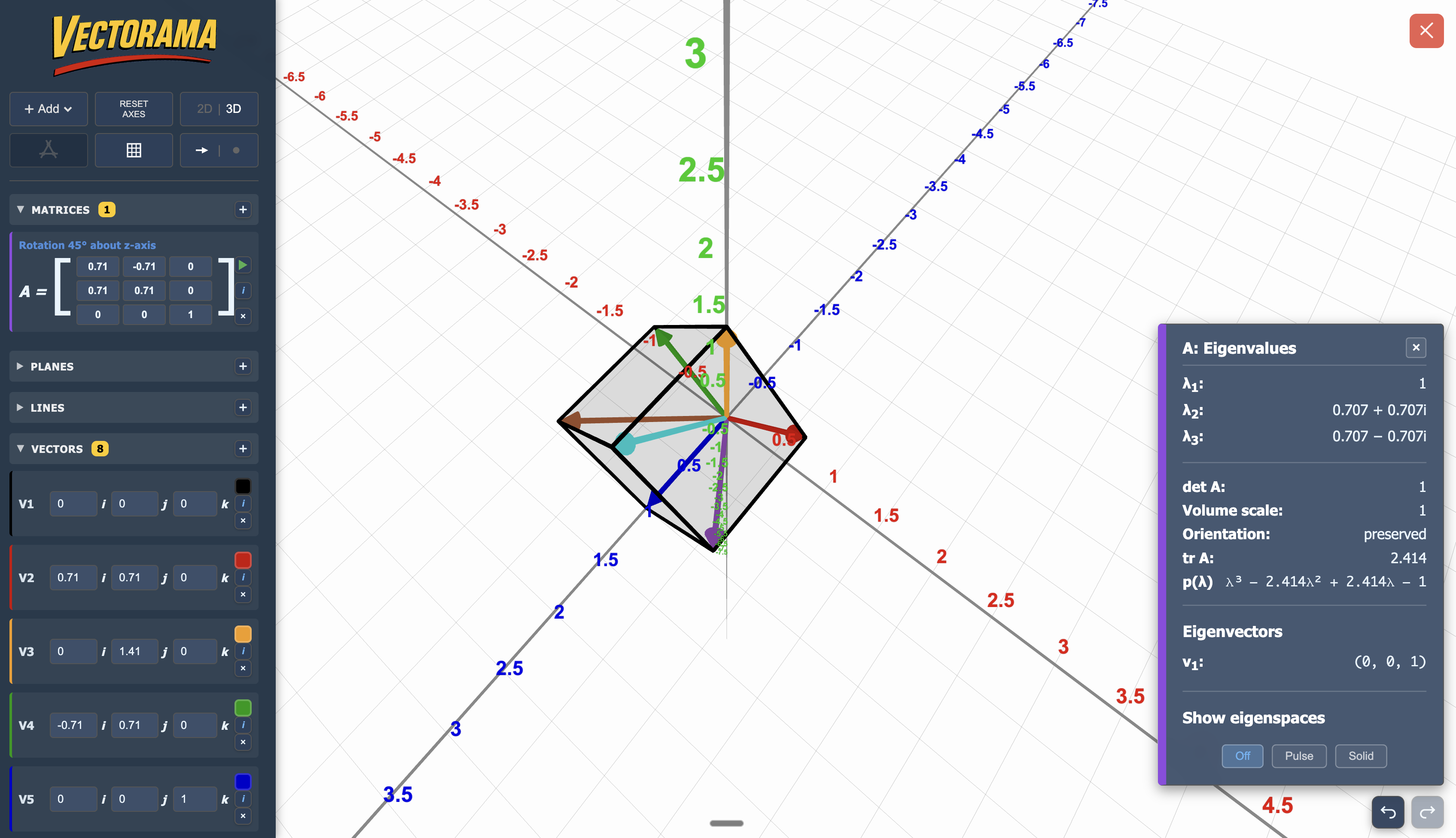
Vectorama is an interactive 2D and 3D environment designed for the exploration of vectors, lines, planes, and matrix transformations. It is a sophisticated tool for A Level and Further Maths pupils, providing a highly visual way to engage with abstract linear algebra and spatial geometry that is difficult to represent on a static page.
How the tool works
The interface provides a clean, rotatable coordinate lattice that supports the plotting and manipulation of complex geometric objects:
- Switchable Dimensions: Instantly toggle between 2D and 3D views to bridge the gap between planar geometry and spatial coordinates.
- Dynamic Objects: Add and edit vectors, lines, and planes using multiple equation forms, including Cartesian, vector, and scalar (dot) product formats.
- Matrix Transformations: Define a transformation matrix and press the 'play' button to animate and observe how all objects in the space are transformed dynamically.
- Geometric Inspector: Use the i buttons to instantly compute intersections, measure angles, and find the shortest distances between skew lines or parallel planes.
- Eigen-Analysis: Visualise eigenvalues and eigenvectors, with the ability to observe eigenspaces directly within the lattice.
Classroom Uses
Visualising Matrix Transformations
A Level Further Maths pupils often struggle to conceptualise how a \(3 \times 3\) matrix "stretches" space or why the determinant represents a volume scale factor.
Strategy: Plot a set of standard basis vectors in 3D. Apply a transformation matrix and use the Matrix Animation feature to show how the unit cube is distorted, allowing pupils to see the movement of the basis vectors to their new image positions.
Investigating Invariant Lines and Eigenspaces
The abstract nature of eigenvalues is made concrete through the direct inspection of invariant directions.
Example: Enter a matrix and use the inspect eigenvalues feature. Plot the resulting eigenvectors to demonstrate that these vectors only change in magnitude, not direction, effectively "pinning" the transformation's eigenspace in 3D space.
Solving 3D Geometry Problems
Calculating the shortest distance between skew lines or the angle between a line and a plane is a computationally heavy task in the A Level syllabus.
Strategy: Input two skew lines in vector form \(\mathbf{r} = \mathbf{a} + \lambda \mathbf{b}\). Use the Geometric Inspector to visualise the common perpendicular. This helps pupils verify their manual calculations and understand why the distance is measured along a vector perpendicular to both lines.
Teaching Strategy
- Plot the Basics: Start in 3D mode and plot two vectors, \(\mathbf{u}\) and \(\mathbf{v}\), using the Add menu.
- Visualise Addition: Use the right-click feature to add the vector \(\mathbf{u} + \mathbf{v}\) and observe the "nose-to-tail" relationship in the 3D space.
- Introduce a Plane: Add a plane using the scalar product form \(\mathbf{r} \cdot \mathbf{n} = d\). Rotate the view to show the relationship between the normal vector \(\mathbf{n}\) and the plane surface.
- Test Intersections: Add a line that intersects the plane. Use the i button to find the exact coordinates of the intersection point.
- Calculate and Verify: Have pupils calculate the angle between the line and the plane on paper, then use the tool's measurement overlay to check their result instantly.
Pedagogical Value
Vectorama makes sketching 3D coordinate systems more straightforward. By providing a clean, rotatable lattice, it makes invisible structures, such as eigenspaces and common perpendiculars, explicitly visible. This builds fluency by allowing pupils to experiment with "what if" scenarios (e.g., "What happens to the intersection if I change the plane's normal vector?") without the time-consuming process of re-drawing complex diagrams.