Calculator Emulator
m4th5.co.uk/gcse-calculator-simulator
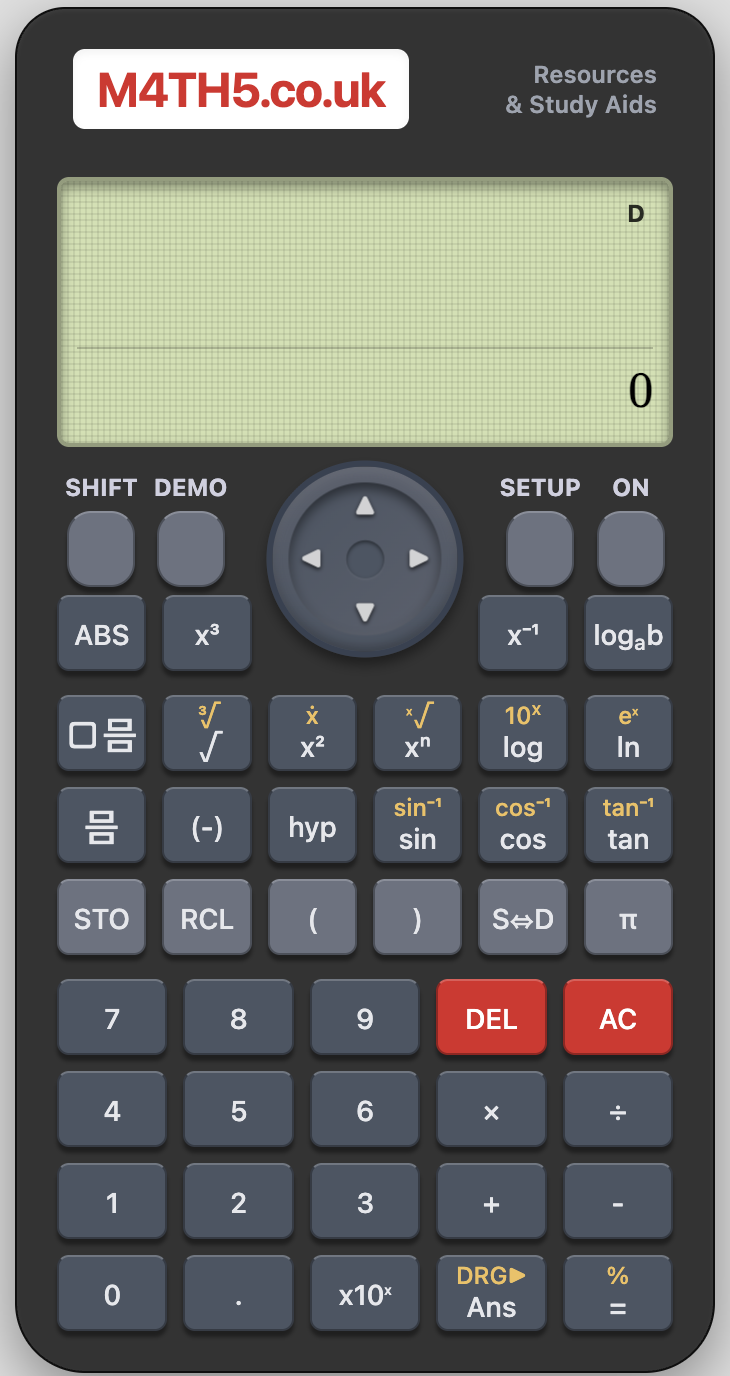
This GCSE Calculator Simulator is a free high-fidelity, browser-based emulation of the standard scientific calculators used in most UK secondary classrooms (specifically the Casio ClassWiz series). Designed for front-of-class demonstration, it allows teachers to model exact keystrokes, menu navigation, and display outputs without the need for physical visualisers or proprietary software.
How the tool works
The simulator functions exactly like the physical hardware. It is highly intuitive for anyone familiar with a scientific calculator, but includes several features specifically designed for the classroom:
- Interactive Keypad: Click or tap any button to trigger the corresponding function.
- Key Logging: As you type, a sequence of the buttons pressed appears at the bottom of the screen. This is invaluable for helping students keep track of complex multi-step calculations.
- Toggle View: You can switch between a full-body view (showing the physical layout) and a "Screen Only" or "Compact" view to maximise visibility on an interactive whiteboard.
- Keyboard Shortcuts: For faster input, many standard functions are mapped to the computer keyboard (e.g., numbers, basic operators, and brackets).
- Settings & Reset: The Shift + Setup menus work as expected, allowing you to demonstrate how to change between Degrees/Radians or MathI/DecimalO modes.
Classroom Uses
The primary value of the simulator lies in reducing the "cognitive load" students face when learning to use their tools. Instead of looking down at their hands while listening to instructions, they can follow a clear, large-scale visual guide on the board.
Modelling Keystroke Proficiency: Many students struggle with the syntax of scientific calculators. For example, the difference between the 'negative' key and the 'subtract' key, or how to "exit" a fraction or square root using the arrow keys. By using the simulator, you can move slowly through these steps, pointing out exactly which button is being pressed and why the cursor is moving on the screen.
Teaching Mathematical Notation vs. Calculator Syntax:
Use the simulator to show the relationship between how we write math on paper and how we "input" it.
- Example: Demonstrate the use of the fraction button for calculations involving the Priority of Operations, showing how the calculator handles the grouping naturally compared to using the division symbol.
Investigating Menus and Modes:
Scientific calculators are increasingly powerful, containing table modes, statistics menus, and equation solvers.
- Table Mode: Model how to generate a table of values for a quadratic function. Show how to set the 'Start', 'End', and 'Step' values, a common area of confusion in exams.
- Exact Values vs. Decimals: Use the [S⇔D] key to show the transition between surds/fractions and their decimal approximations.
Troubleshooting Common Errors:
Deliberately input common mistakes (like failing to close brackets on a trigonometric function or inputting a negative number into a square root) to show students what specific error messages (e.g., "Math ERROR" or "Syntax ERROR") actually mean and how to fix them.
Teaching Strategy: "Follow the Leader"
- Synchronised Input: Ask all students to clear their calculators (Shift -> 9 -> 3 -> = -> AC).
- Step-by-Step: Perform a complex calculation (e.g., the quadratic formula) on the simulator one button at a time.
- Check-in: After every 3-4 keystrokes, ask students to hold up their calculators or check with a partner to ensure their screen matches yours.
- The Key Log: If a student falls behind, point to the key log at the bottom of the simulator so they can "catch up" by seeing the exact sequence they missed.
Pedagogical Value
Learning to use a calculator is a specific skill within the KS3 and KS4 curriculum. A simulator ensures that the technology remains a "transparent" tool. Something that assists in solving problems rather than becoming a barrier to them. By mirroring the exact device students have on their desks, you bridge the gap between abstract mathematical concepts and the practical reality of the exam hall.