Area of a Circle - GeoGebra
geogebra.org/m/qke2gyva
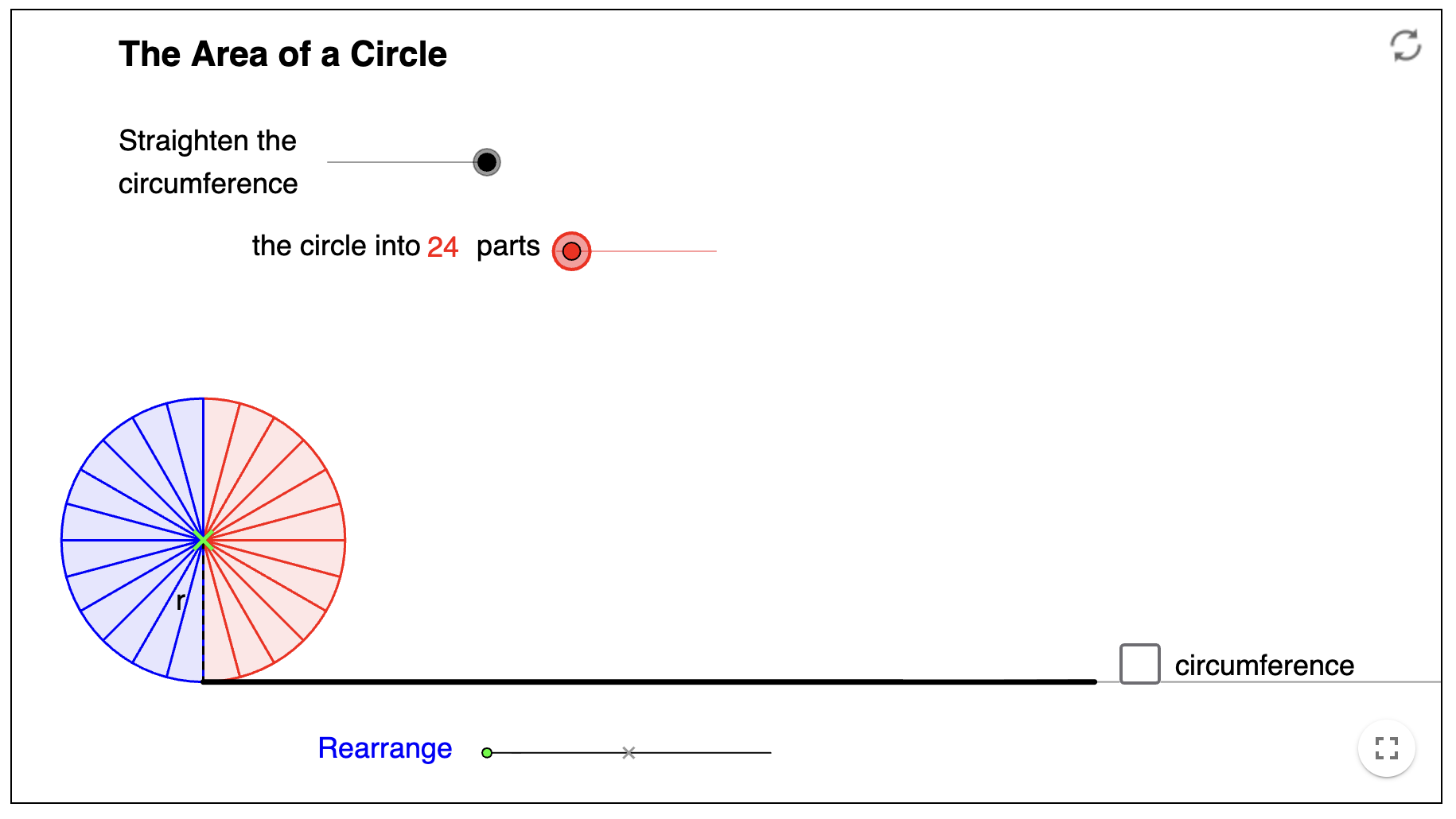
This interactive GeoGebra applet provides a dynamic visual demonstration for the area of a circle formula. By dissecting a circle into sectors and rearranging them into a parallelogram, it bridges the gap between circular geometry and familiar rectilinear area for pupils.
How the tool works
The applet uses a series of sliders to walk pupils through the conceptual transformation of a circle into a rectangle.
- Dissection Slider: Allows the user to increase the number of sectors (up to 200), demonstrating how more parts lead to a more accurate rectangular approximation.
- Straighten Circumference: Visually "unrolls" the perimeter of the circle onto a straight line to show the relationship between the circumference and the base of the new shape.
- Rearrange Animation: Animates the blue and red sectors interlocking, making it clear that the total area remains constant throughout the transformation.
- Guided Derivation: Checkboxes reveal prompts and the final algebraic proof, linking the visual dimensions to the formula \(A = \pi r^2\).
Classroom Uses
Visualising the Formula Derivation
For KS3 pupils, the jump from "counting squares" to \(\pi r^2\) can feel abstract. This tool makes the components of the formula visible.
Strategy: Set the dissection to a low number (e.g., 8 parts) and ask pupils to name the resulting shape (a parallelogram). Then, increase the parts to 24 and beyond and ask how the shape has changed. Emphasis should be placed on the "bumps" on the top and bottom becoming flatter.
Linking Circumference and Area
A common misconception is why the base of the rearranged rectangle is \(\pi r\) and not \(2 \pi r\).
Example: Use the "Straighten the circumference" feature alongside the "Rearrange" slider. Pupils can see that the blue "teeth" make up exactly half of the straightened line, proving the base is \(\frac{1}{2} \times 2 \pi r = \pi r\).
Introduction to Limits
For higher-tier GCSE or introductory A-Level, the tool serves as a concrete introduction to the concept of limits and infinitesimals.
Strategy: Ask pupils what would happen if we had 1,000 parts or 1,000,000 parts. This leads to the conclusion that as the number of parts tends to infinity, the shape becomes a perfect rectangle with a width of exactly \(\pi r\).
Teaching Strategy
- Recall: Start by asking pupils for the formula for the circumference (\(2 \pi r\)) and the area of a rectangle (base \(\times\) height).
- Predict: Show the circle split into 12 sectors. Ask: "If I cut these out and line them up, what will the height of the shape be?" (The radius, \(r\)).
- Animate: Use the "Rearrange" slider. Identify the height as \(r\) and the base as half the circumference.
- Calculate: On the board, write: \(Area = \text{base} \times \text{height} = \pi r \times r\).
- Generalise: Simplify the expression to \(\pi r^2\) and use the applet's built-in checkboxes to reveal and confirm the derivation.
Pedagogical Value
The "Area of a Circle" tool is superior to static textbook diagrams because it captures the process of transformation. It reduces cognitive load by colour-coding the sectors (red vs. blue), allowing pupils to track where each part of the circle goes. By providing a fluid, adjustable approximation, it moves pupils away from memorising "the formula" and toward understanding the structural relationship between a circle’s radius and its surface area.