Polygon Angles Explorer
visnos.com/demos/polygon-explorer
Polygon Explorer is a dynamic geometry workspace designed for investigating the properties of both regular and irregular polygons. It allows pupils to manipulate vertices in real-time, bridging the gap between abstract angle theorems and visual, hands-on proof.
How the tool works
The interface provides a flexible canvas for constructing polygons with 3 to 20 sides, offering immediate feedback as the geometry changes.
- Dynamic Vertex Manipulation: Drag any vertex to transform a regular polygon into an irregular, convex, or concave shape while measurements update instantly.
- Cyclic Constraint: Use the "magnetic" circumcircle toggle to lock vertices to a fixed radius, ideal for exploring regular properties or circle-based geometry.
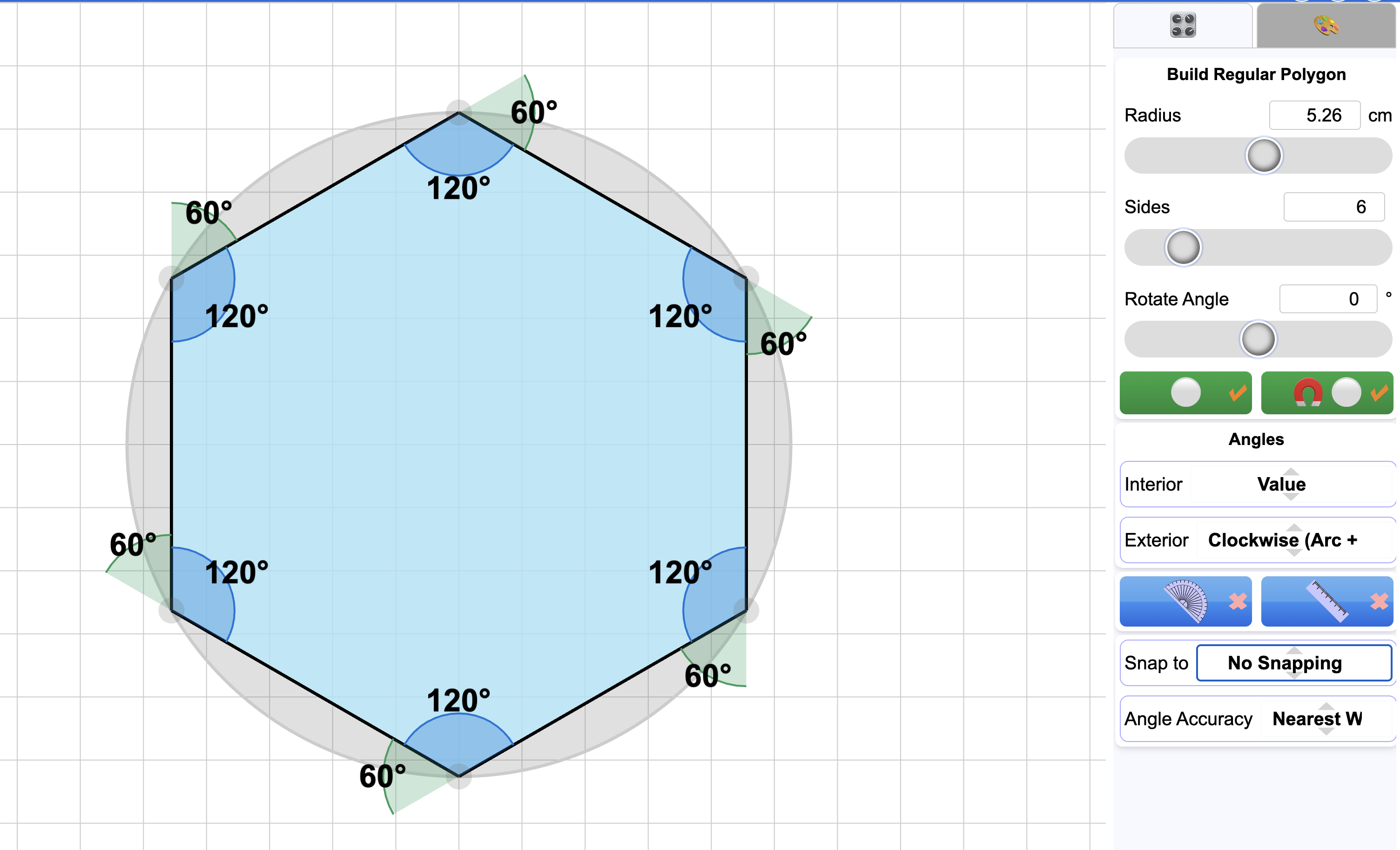
- Angle Visualisation: Toggle interior, exterior, and conjugate angles. The tool uses colour-coded arcs to help pupils distinguish between these different measurements.
- Precision Snapping: Use the "Snap to" feature with square or isometric grids to facilitate the construction of specific shapes or to help pupils find integer coordinates.
Classroom Uses
Visualising Exterior Angle Sums
Pupils often struggle to grasp why the sum of exterior angles is always \(360^{\circ}\) regardless of the number of sides. By displaying the exterior arcs and dragging vertices to make the polygon "shrink" or change shape, pupils can see that the total "turn" required to traverse the perimeter remains constant.
Strategy: Show the exterior angles and ask pupils to predict the sum as you drag a vertex to create a concave indent; the tool’s real-time calculation helps resolve the misconception that concavity changes the \(360^{\circ}\) rule.
Interior Angles in Concave Polygons
Moving beyond the formula \((n-2) \times 180^{\circ}\) for regular shapes, this tool is excellent for GCSE pupils exploring irregular and concave polygons. It allows for the rapid testing of the "angle sum" rule in shapes that would be difficult and time-consuming to draw accurately by hand.
Example: Create an irregular pentagon. Ask pupils to calculate the sum of four visible interior angles and predict the value of the fifth (reflex) angle before revealing it.
Symmetry and Regularity
The "Cyclic" toggle is a powerful way to demonstrate the definition of a regular polygon. Teachers can show that having all vertices on a circle (cyclic) is a necessary but not sufficient condition for regularity. The side lengths and interior angles must also be equal.
Strategy: Snap vertices to the circumcircle at irregular intervals and ask pupils to identify which properties of a "regular" shape are being broken.
Teaching Strategy
- Project a regular hexagon on the board with the circumcircle and interior angles visible.
- Ask pupils to calculate the sum of interior angles using the formula \((n-2) \times 180^{\circ}\).
- Toggle the "Cyclic" constraint off and drag one vertex inwards to create a concave shape.
- Pose the question: "Has the sum of the interior angles changed now the shape is 'dented'?" Collect a show of hands.
- Reveal the angle values and sum them live to prove the \(720^{\circ}\) total remains constant.
- Challenge pupils to find a vertex position that creates a reflex interior angle and discuss how this affects the "look" of the polygon.
Pedagogical Value
Polygon Explorer helps focus on the properties without needing to draw and measure irregular shapes manually. In a traditional "pen and paper" lesson, measurement errors often mask the underlying mathematical laws (such as the constant sum of angles). This tool removes that friction, making invisible structures, like the relationship between exterior and conjugate angles, visible through overlapping arcs. It encourages a "what if?" approach to geometry, allowing for dozens of examples to be tested in the time it would take to draw one.