Decimal Square
mathsbot.com/tools/decimalSquare
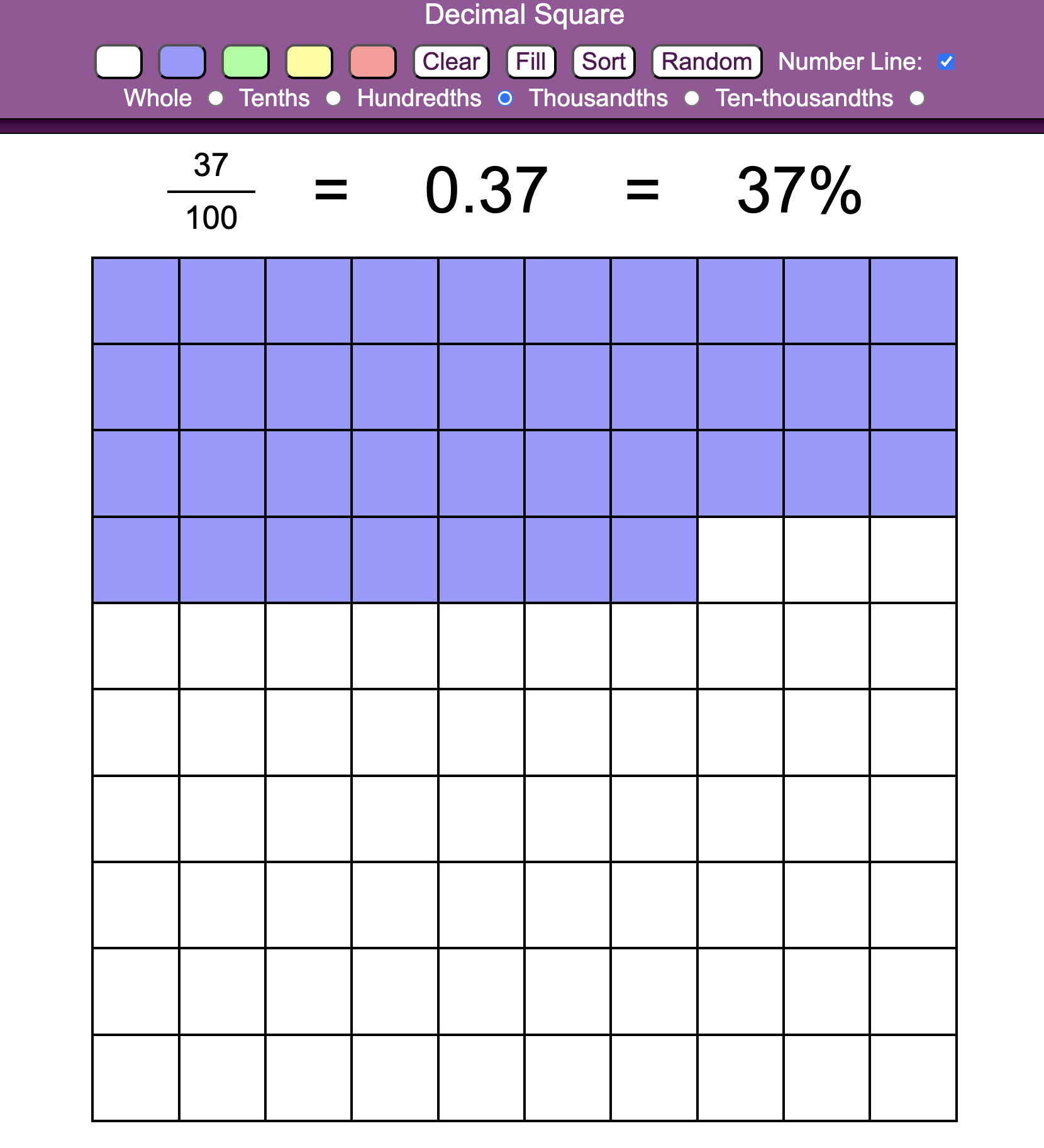
The Decimal Square is a versatile digital manipulative designed to help pupils conceptualise the relationship between fractions, decimals, and percentages through an area model. By representing values on a \(10 \times 10\) grid, it provides a concrete visual foundation for understanding place value and proportional reasoning.
How the tool works
The interface centres on a grid that can be manipulated to show different numerical scales and representations:
- Linked Representations: As cells are shaded, the tool automatically generates the equivalent fraction, decimal, and percentage at the top of the screen.
- Scale Toggles: Teachers can redefine the "value" of the entire square, from a single "Whole" down to "Ten-thousandths", to demonstrate how place value shifts affect the value of individual cells.
- The "Sort" Function: This allows fragmented shaded cells to be snapped into a solid block, making it easier for pupils to quantify the area.
- Interactive Number Line: A toggleable number line at the base provides a linear representation that synchronises with the area model, bridging the gap between two-dimensional area and position on a scale.
Classroom Uses
Visualising FDP Equivalence
The tool is most effective when demonstrating that \(14\%\), \(0.14\), and \(\frac{14}{100}\) are different names for the same physical proportion.
Strategy: Use the Random button to shade a set of cells. Ask pupils to write down the decimal they see before clicking Sort to reveal the answer. This builds a "sense" of magnitude that abstract symbols often lack.
Exploring Place Value Scale
Pupils often struggle to visualise the difference between \(0.1\) and \(0.01\). By switching the scale from "Whole" to "Tenths," the entire \(10 \times 10\) grid represents just \(0.1\).
Example: Shade one full row. In "Whole" mode, this is \(0.1\). Switch to "Tenths" mode, and that same shaded area now represents \(0.01\). This helps pupils see that a "hundredth" is simply a "tenth of a tenth."
Teaching Strategy
- Establish the Whole: Start with the "Whole" scale selected and the number line visible. Ensure pupils understand that the entire square represents \(1\).
- Estimate and Shade: Click random cells in different colours and ask pupils to estimate the total shaded area as a percentage.
- Refine with Sorting: Use the Sort button to group the colours together. Ask: "Does seeing them in a block make it easier to identify the decimal value?"
- Connect to the Line: Point to the shaded area on the grid, then look at the marker on the Number Line. Ask pupils to explain why \(0.14\) is closer to \(0.1\) than it is to \(0.5\).
- Challenge via Scaling: Switch the scale to "Thousandths" and ask how the numerical label (\(0.14\)) would change, even though the visual area stays the same.
Pedagogical Value
The Decimal Square helps pupils connect up ideas by unifying three distinct mathematical notations into a single visual representation. The ability to "Sort" and "Randomise" allows for high-repetition practice without the time-consuming task of manual shading. Most importantly, the scale toggles make the "invisible" structure of our base-10 system visible, helping pupils move beyond rote memorisation of decimal places toward a deeper understanding of scaling and magnitude.