Distributive Property
sensemake.uk/distributive-property
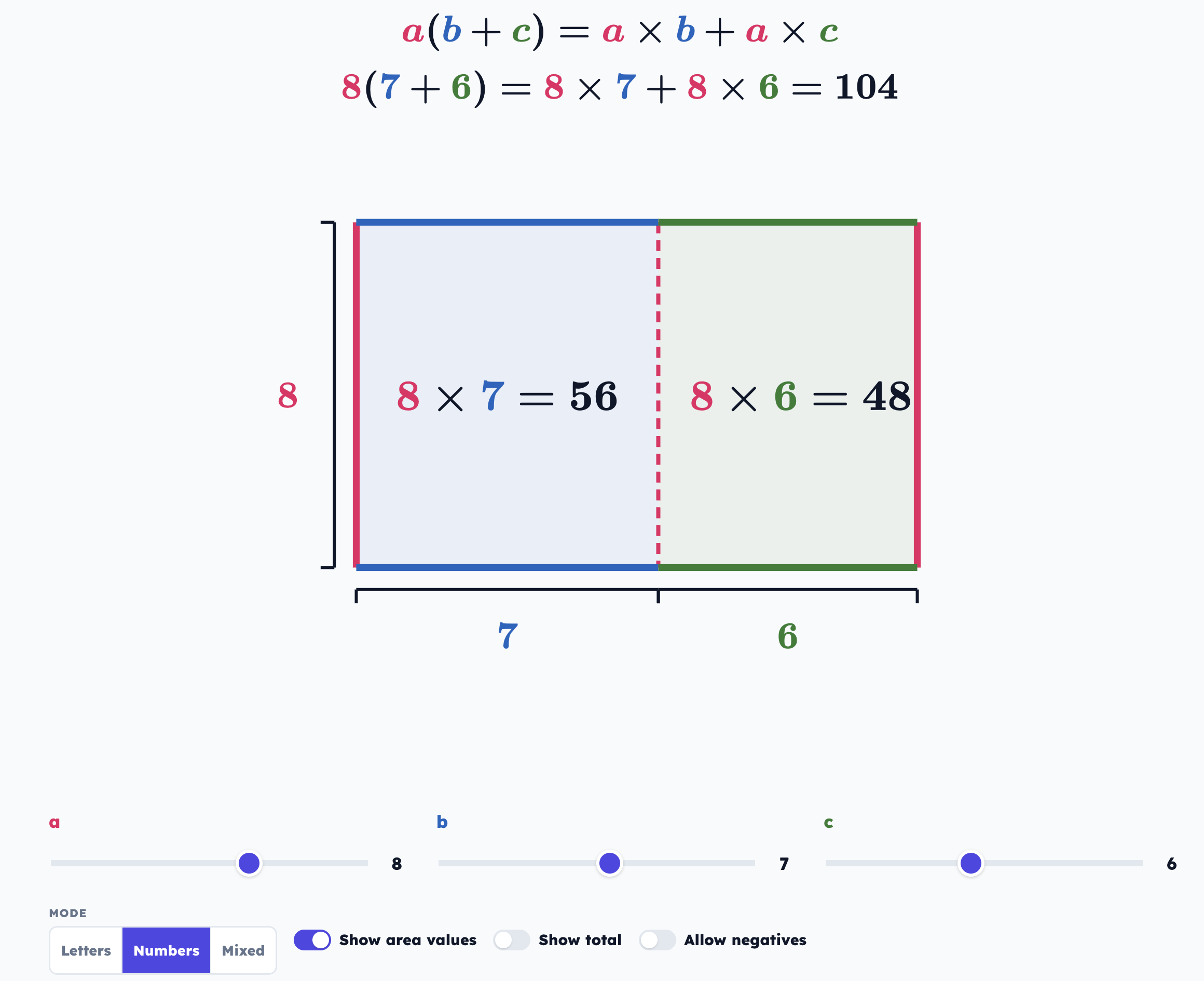
The Modelling Distributive Property tool is an interactive area-model visualiser designed to help pupils build understanding of this law of arithmetic. It uses the area model to visualise the identity \(a(b+c) = ab + ac\). By linking sliders directly to a partitioned rectangle and a dynamic equation, the tool makes the relationship between side lengths and total area explicit.
The tool features three distinct modes that supports pupils to see the algebraic form as a generalisation of arithmetic:
- Letters - pure algebraic form.
- Numbers - specific arithmetic examples.
- Mixed - a transitional view that bridges letters and numbers.
How the tool works
The interface is built around a single rectangle partitioned into two regions. Slider \(a\) controls the height (the multiplier outside the bracket), while sliders \(b\) and \(c\) control the widths of the two internal segments (the terms inside the bracket).
- The Visualisation: As sliders move, the rectangle resizes in real-time. The area of each segment is labeled with the product (e.g., \(a \times b\)), and a bracket below shows the total width (\(b+c\)).
- The Equation: Above the diagram, the tool displays the formal identity. In Numbers or Mixed modes, a second line of logic appears, showing the specific calculation and its result.
- Negative Values: A unique feature allows \(b\) and \(c\) to become negative. When this happens, the tool uses dashed lines and a "hatch" pattern to represent negative area, helping pupils conceptualise expressions like \(5(4 - 2)\).
Getting started
- Select a Mode from the button group at the bottom (Letters is default).
- Drag the sliders to set the dimensions of your rectangle.
- Toggle "Show area values" to reveal the numeric results (\(= 20\)) inside the rectangle.
- Toggle "Show total" to display the final expanded sum and total result beneath the diagram.
- Use "Allow negatives" to explore subtractions within the brackets.
The Three Modes
| Mode | Visual Label | Equation Display | Purpose |
|---|---|---|---|
| Letters | \(a, b, c\) | \(a(b+c) = ab + ac\) | Establishing the general rule and algebraic identity. |
| Numbers | \(5, 4, 3\) | \(5(4+3) = 5 \times 4 + 5 \times 3 = 35\) | Connecting the area model to arithmetic and "grid method". |
| Mixed | \(a, b, c\) | \(a(b+c) = 5(4+3) = 20 + 15 = 35\) | Bridging the gap between the abstract variable and the concrete value. |
Why this is powerful
Visualising Subtraction:
In many textbooks, \(a(b-c)\) is treated as a separate rule. By turning on Allow negatives, pupils can see \(b\) or \(c\) shrink past zero. The tool represents this negative dimension with dashed lines, providing a visual scaffold for why \(5(4-3)\) results in a smaller total area (\(20 - 15\)).
The Area-Equation Link:
Because the labels inside the rectangle (\(a \times b\)) match the terms in the expanded expression, pupils see that "expanding" isn't a magic trick, it is simply finding the area of the two smaller rectangles and adding them together.
Classroom uses
"What stays the same?": Set \(b=4\) and \(c=3\). Move slider \(a\). Ask pupils to describe what happens to both parts of the rectangle simultaneously. This reinforces that \(a\) scales the entire expression, not just the first term.
Concept of "Zero": Challenge pupils to find values where the total area is zero. This leads to a discussion on additive inverses (e.g., \(b=5, c=-5\)) and how the two areas "cancel out".
Discussion Questions from the tool:
- Why does the total area equal the sum of the two smaller areas?
- What happens to the equation when you make \(b\) very small?
- Can you find values where \(a \times b\) equals \(a \times c\)?
- If negatives are on: what does a "negative rectangle" mean?