Factor Conga
datapointed.net/visualizations/math/factorization/animated-diagrams
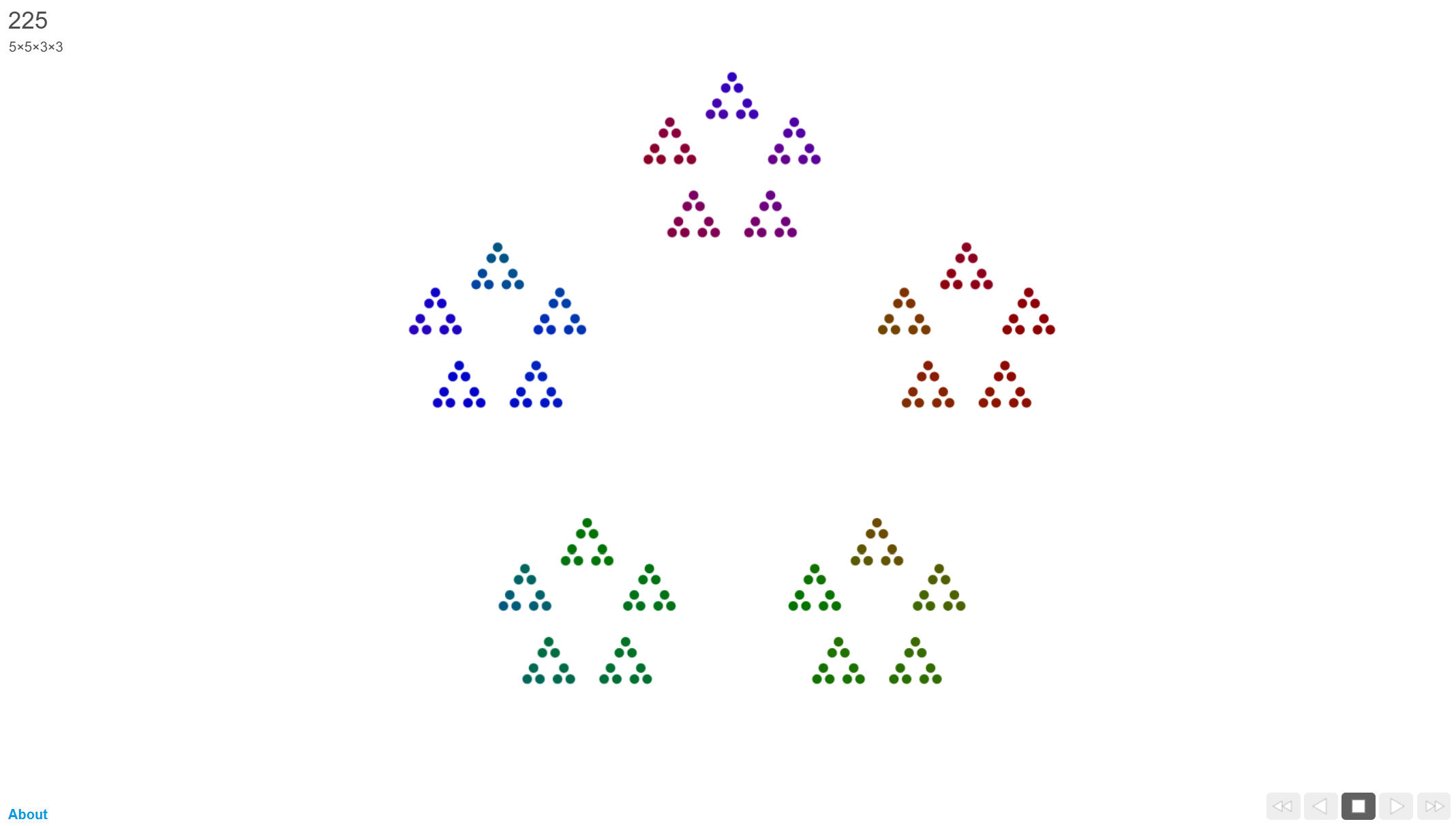
This tool provides a mesmerising, geometric visualisation of integers, representing each number as a nested arrangement of dots based on its prime factorisation. It is an exceptional resource for secondary teachers looking to make the abstract "DNA" of numbers visible and aesthetically engaging for pupils.
How the tool works
The interface is minimalist, focusing entirely on the evolving patterns of the numbers as they increment:
- Automatic Progression: The tool cycles through integers sequentially, building and deconstructing dot patterns in real-time.
- Manual Control: Teachers can use the arrow keys to pause on specific numbers or step through the sequence to facilitate classroom discussion.
- Prime Representation: Prime numbers are always shown as a single, un-nested ring (a "necklace") of dots, visually distinguishing them from composite numbers.
- Nested Factorisation: Composite numbers are displayed as groupings of groups. For example, 12 is shown as 3 groups of 4 (which are themselves 2 groups of 2), or 2 groups of 6.
Classroom Uses
Defining Primes vs. Composites
The tool provides an immediate visual definition that goes beyond "only divisible by 1 and itself."
Strategy: Project the animation and ask pupils to shout "Prime!" every time they see a single, simple ring appear. Ask them to describe the visual difference between a "simple" prime and a "busy" composite number like 48.
Exposing the Structure of Prime Factors
Pupils often see prime factorisation as a chore (the factor tree). This tool shows it as a structural blueprint.
Example: Pause on 30. Ask pupils to identify the groups. They might see 5 groups of 6, and within those 6s, 3 groups of 2. Use this to write down 5 \times 3 \times 2 and relate the visual layers to the mathematical expression.
Predicting Magnitude and Density
The complexity of the diagram is a direct proxy for how "composite" a number is.
Strategy: Compare 47 (a simple prime ring), 48 (a highly nested, complex structure), and 49 (a very symmetrical 7 \times 7 grid). Ask pupils: "Which number has the most factors? How can you tell just by looking at the dots?"
Teaching Strategy
- Silent Viewing: Project the animation for 60 seconds without commentary. Let pupils become accustomed to the "pulse" of the numbers.
- Identify the Pattern: Pause on a prime number (n). Ask: "Why is this a single circle? What does that tell us about its factors?"
- Predict the Next: Move to n+1. Before revealing the dots, ask pupils to predict if it will be a simple ring or a complex "group of groups" based on their knowledge of the next number.
- The Square Challenge: Navigate to perfect squares like 16, 25, or 36. Ask: "What is special about the symmetry of these specific numbers?"
- Factor Tree Sync: Have pupils draw a factor tree for a number (e.g., 24) on their mini-whiteboards, then pause the tool on 24 to see if the "branches" of their tree match the "layers" of the dots.
Pedagogical Value
This visualisation helps shift from entirely abstract division by turning factorisation into a spatial arrangement. It makes invisible structures visible; pupils can see that 2 is the most common building block because of how often pairs appear in the nesting. It moves prime factorisation from a procedural task to a study of pattern and symmetry, helping pupils develop a more intuitive "feel" for the composition of the number system.
Additional resources
Static diagrams: A visual of the numbers from 1-128 in the same style, but black and white - jasondavies.com/factorisation-diagrams/