Factor Tree (MathsPad)
mathspad.co.uk/i2/teach.php?id=factorTrees
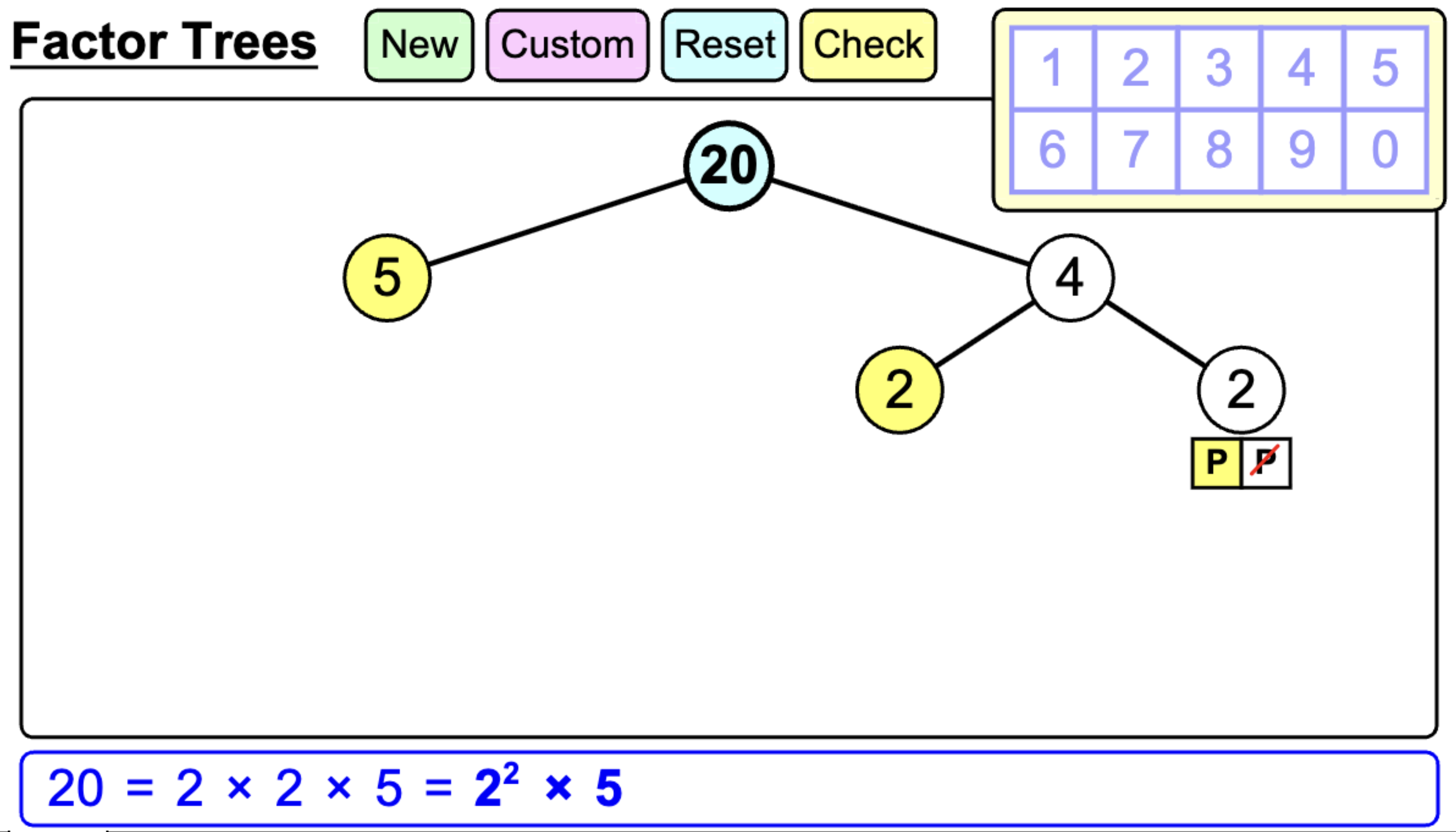
The Factor Trees tool from MathsPad provides a clean, interactive environment for pupils to explore prime factorisation. It allows teachers to demonstrate the systematic decomposition of composite numbers, providing a visual scaffold that bridges the gap between mental multiplication and formal index notation.
How the tool works
The interface allows for both pre-set challenges and teacher-led demonstrations:
- Custom Inputs: Use the Custom button to enter any composite number, allowing you to tailor the difficulty to the specific needs of your class.
- Interactive Branching: Clicking a node creates a new pair of branches; pupils then use the on-screen keypad to enter factors.
- Prime Identification: Once a prime factor is reached, the P toggle highlights the node in yellow, signalling that this specific branch is complete and the
Psymbol adds further branching. - Live Product String: As the tree grows, the tool automatically generates the equivalent product of primes at the bottom, updating in real-time to show both expanded and index form (e.g., \(20 = 2 \times 2 \times 5 = 2^2 \times 5\)). This can be shown or hidden with or without the index form.
Classroom Uses
Comparing Factorisation Paths
One of the most powerful features of this tool is the ability to show that the starting factor pair does not change the final prime result.
Strategy: Reset the same number twice. Show one group factorising \(60\) as \(6 \times 10\) and another as \(2 \times 30\). Use the final index form to prove they lead to the same destination.
Scaffolding Index Notation
Many pupils at KS3 struggle to transition from a completed tree to a formal product of primes.
Example: Complete a tree for \(72\). Use the Check button to reveal the bottom bar. Ask pupils to explain where the exponent in \(2^3\) came from by counting the yellow prime nodes in the tree.
Teaching Strategy
- Set the Target: Click Custom and enter a number with a variety of factor pairs, such as \(48\) or \(72\).
- Initial Decomposition: Ask a pupil to provide any factor pair (excluding \(1\) and the number itself). Input these into the first branches.
- Identify the 'Dead Ends': Ask the class if either branch is prime. If so, click the P button to highlight it and "stop" that branch.
- Iterative Splitting: Continue the process for all composite branches until only yellow prime nodes remain.
- Synthesise: Direct attention to the auto-generated string at the bottom. Challenge pupils to write the index form on their mini-whiteboards before clicking the final reveal.
Pedagogical Value
By providing a structured, neat visual, this tool allows the focus to be on the multiplicative relationship between the levels of the tree rather than the mechanics of drawing it. The instant conversion to index form is particularly valuable for GCSE pupils, as it reinforces the requirement to present their final answer as a product of its prime factors.