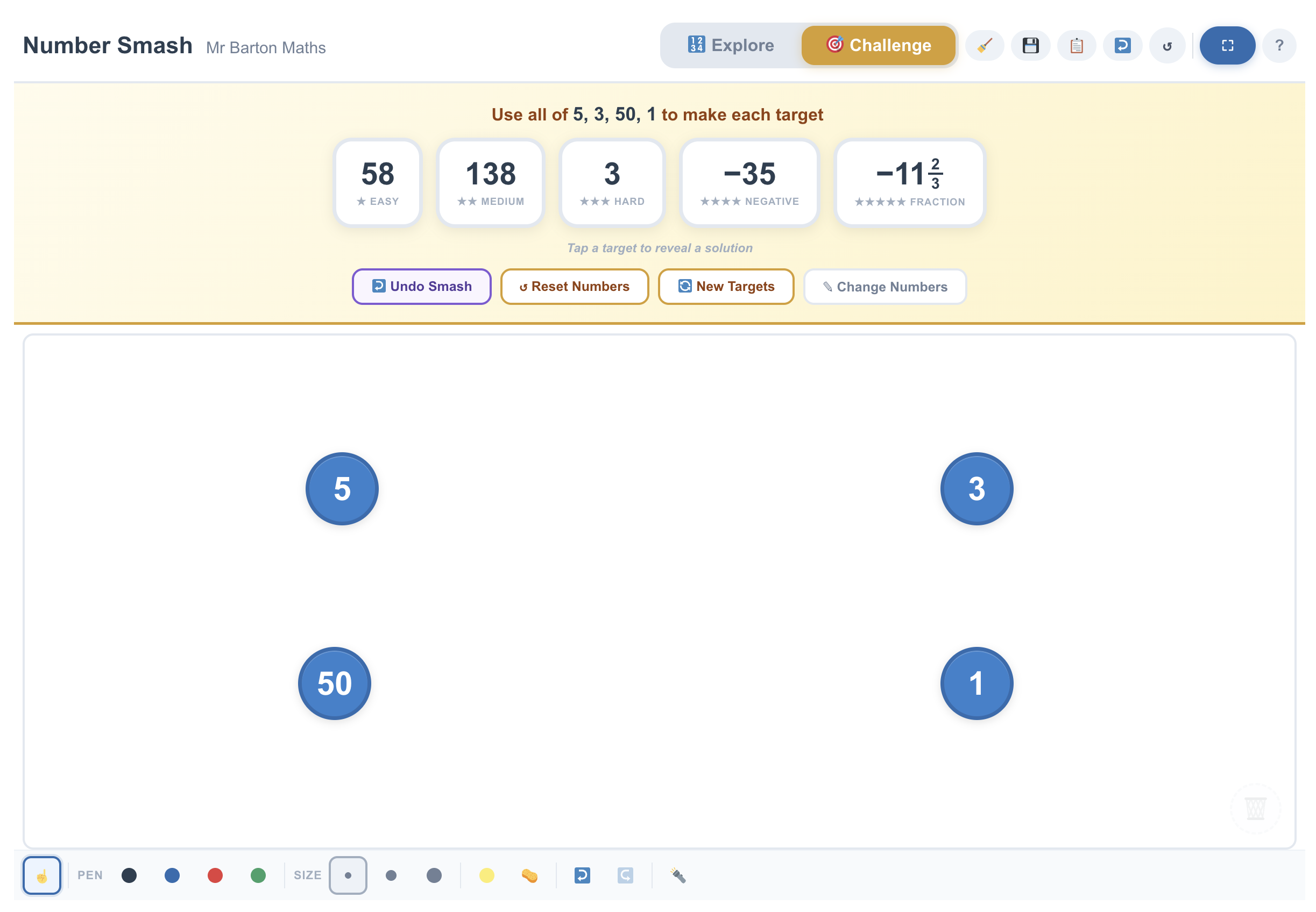
Number Smash
mrbartonmaths.com/number-smash
Number Smash is a versatile interactive whiteboard tool designed to build number sense, mental arithmetic fluency, and an understanding of the priority of operations. By dragging "counters" onto one another to "smash" them together using the four basic operators, students can explore the building blocks of any number.
How the tool works
The tool is built around an open "Explore" mode and a structured "Challenge" mode:
- Explore Mode: Start with a blank canvas. Type a number or select one from the quick-add tiles to create a counter.
- The "Smash": Drag one counter onto another. A pop-up menu appears offering +, −, ×, and ÷. Selecting an operation replaces the two counters with their result.
- History & Undo: A side panel tracks every "smash" performed. You can undo individual steps or reset the board to the starting values at any time.
- Fractions & Negatives: The tool handles non-integers by showing simplified mixed numbers and uses colour-coded counters (e.g., red for negatives, blue for positives) to provide visual cues for directed number work.
- Challenge Mode: Provides specific target numbers to reach using a fixed set of starting values.
Classroom Uses
While it works well as a pupil-led game, the real value for teachers is in using it to facilitate "what if" discussions and to expose misconceptions.
Exploring Commutativity and Order: In Explore mode, add two counters (e.g., 3 and 7). Ask pupils to predict the result of dragging 3 onto 7 for subtraction, then 7 onto 3.
- The "Across the Grain" Moment: Compare ![][image1] and ![][image2]. The colour change of the counter visually reinforces the transition into negative territory.
Building "Number Chains":
Start with a single number and ask the class to reach a far-off target using a limited number of steps.
- Example: "Start with 10. Can you get to 0.25 in exactly three smashes?"
- This forces pupils to think about division and fractions as operations that "shrink" numbers, rather than just "splitting" them.
Teaching Strategy: "The Target Reveal"
- Setup: Use Challenge Mode or manually add 4-5 integers to the board.
- The Goal: Show a target number (e.g., 24) but do not reveal the solution.
- The Draft: Give pupils two minutes to find a solution on mini-whiteboards.
- The Live Smash: Invite a pupil to the board to demonstrate their "smash" sequence.
- The Variation: Ask if anyone reached the target using a different first step. Use the "Undo" button to quickly show how different paths (e.g., ![][image3] vs. ![][image4]) lead to the same result.
Pedagogical Value
Number Smash turns abstract arithmetic into a tactile, reversible process. Because pupils can "undo" and "reset" instantly, the fear of making a mistake is removed, encouraging messy exploration. It is particularly effective for teaching Priority of Operations; unlike a calculator where the sequence is hidden, Number Smash forces pupils to physically decide which two numbers to combine first, making the "structure" of the calculation visible.