Place Value Chart
mathsbot.com/tools/placeValue
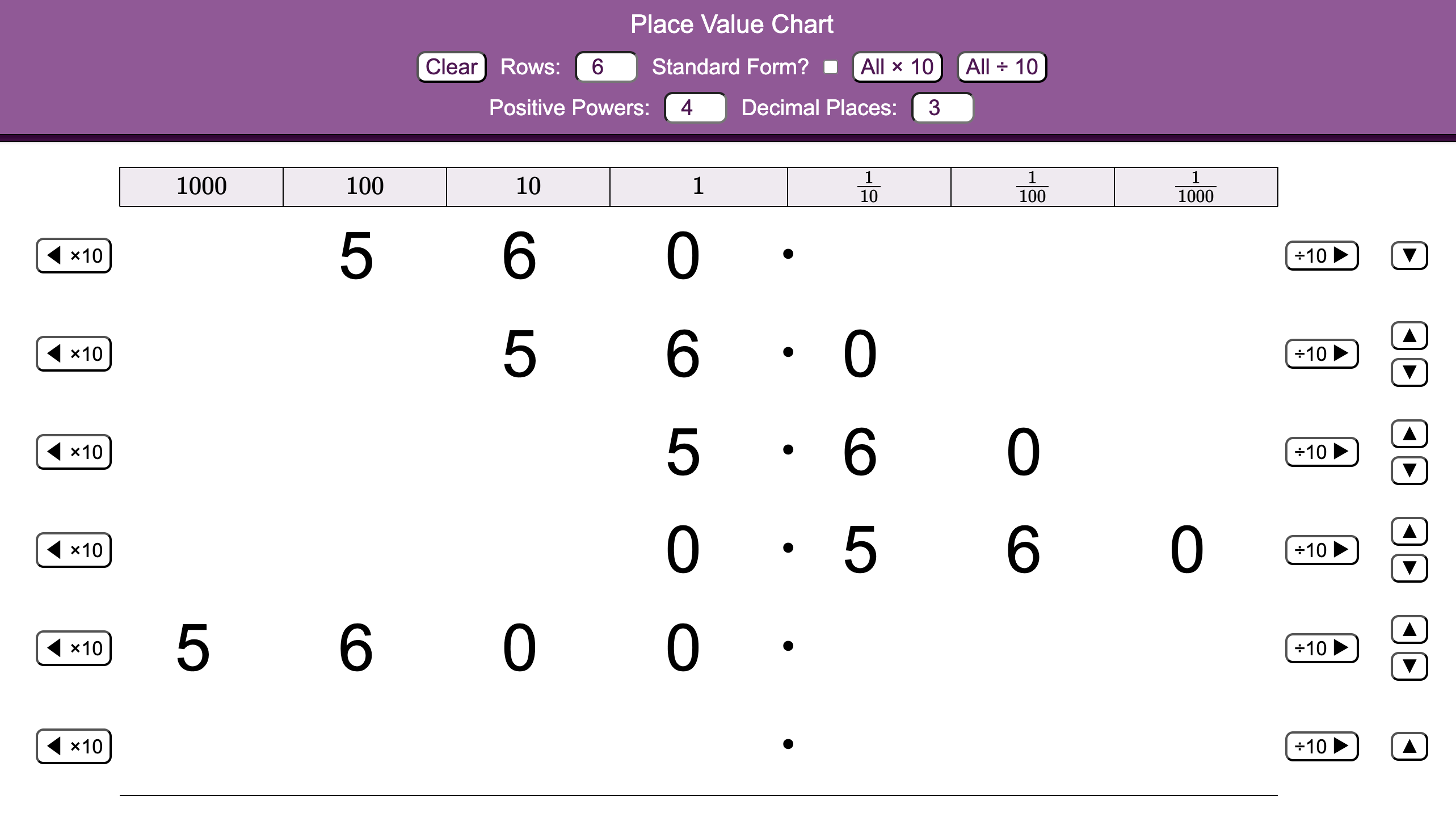
The MathsBot Place Value Chart displays numbers across a customisable grid of place value columns, with selectable numbers of integer and fractional columns. Multiple rows can be shown simultaneously, making it ideal for demonstrating what happens to a number when it is multiplied or divided by powers of 10. The decimal point stays fixed as digits shift left or right, making the underlying structure of our number system visible in a way that a whiteboard alone rarely achieves.
Using the tool in the classroom
Whole-class teaching: the "digits move, point stays" moment
This is the tool's killer demonstration. Set up a number like 34 in one row, then use All ÷ 10 repeatedly while the class watches. Ask pupils to narrate what's happening. Many pupils have been taught "add a zero" or "move the decimal point", this is the moment to correct both misconceptions directly. The point never moves. The digits do.
Linking multiplication and division as inverses
Set two rows to the same starting number and use × 10 on one and ÷ 10 on the other simultaneously. Pupils can see the symmetry of the shift in both directions. A powerful visual for establishing inverse operations.
Exploring the role of zero as a placeholder
Use a number like 560. As you divide by 10, the zero migrates to different positions. Ask: "Is this zero doing the same job each time?" In 560, the zero holds the ones place. In 5.60, it's a trailing decimal zero. In 0.560, it holds the ones place again but now signals that the number is less than 1. This is a rich discussion starter.
Connecting to standard form
Toggle the Standard Form? header option so column headings display as 10², 10¹, 10⁰, 10⁻¹, 10⁻², 10⁻³. This is an excellent bridge when introducing standard form to pupils. It makes the index notation feel like a natural label for the columns they already understand.
Common misconceptions the chart directly addresses
"You multiply by 10 by adding a zero."
Works for integers, fails immediately for decimals. The chart shows 3.6 × 10 = 36, exposing the rule as incomplete. Digits shift, no zero is "added."
"Dividing by 10 means moving the decimal point left."
The decimal point is fixed on the chart. What moves is every digit, to the right. This reframe is important for pupils who lose track of which direction to move the point under exam pressure.
"A bigger-looking number is always bigger."
Placing 0.75 and 0.075 in adjacent rows, aligned by column, makes it immediately clear which is larger — despite 075 appearing to contain larger digits.
The chart works best as a conceptual building tool in the teaching phase, before pupils practise independently. It's not a calculator, it's a model for understanding why the procedure works.