Average and Range Tiles
mathsbot.com/manipulatives/averageTiles
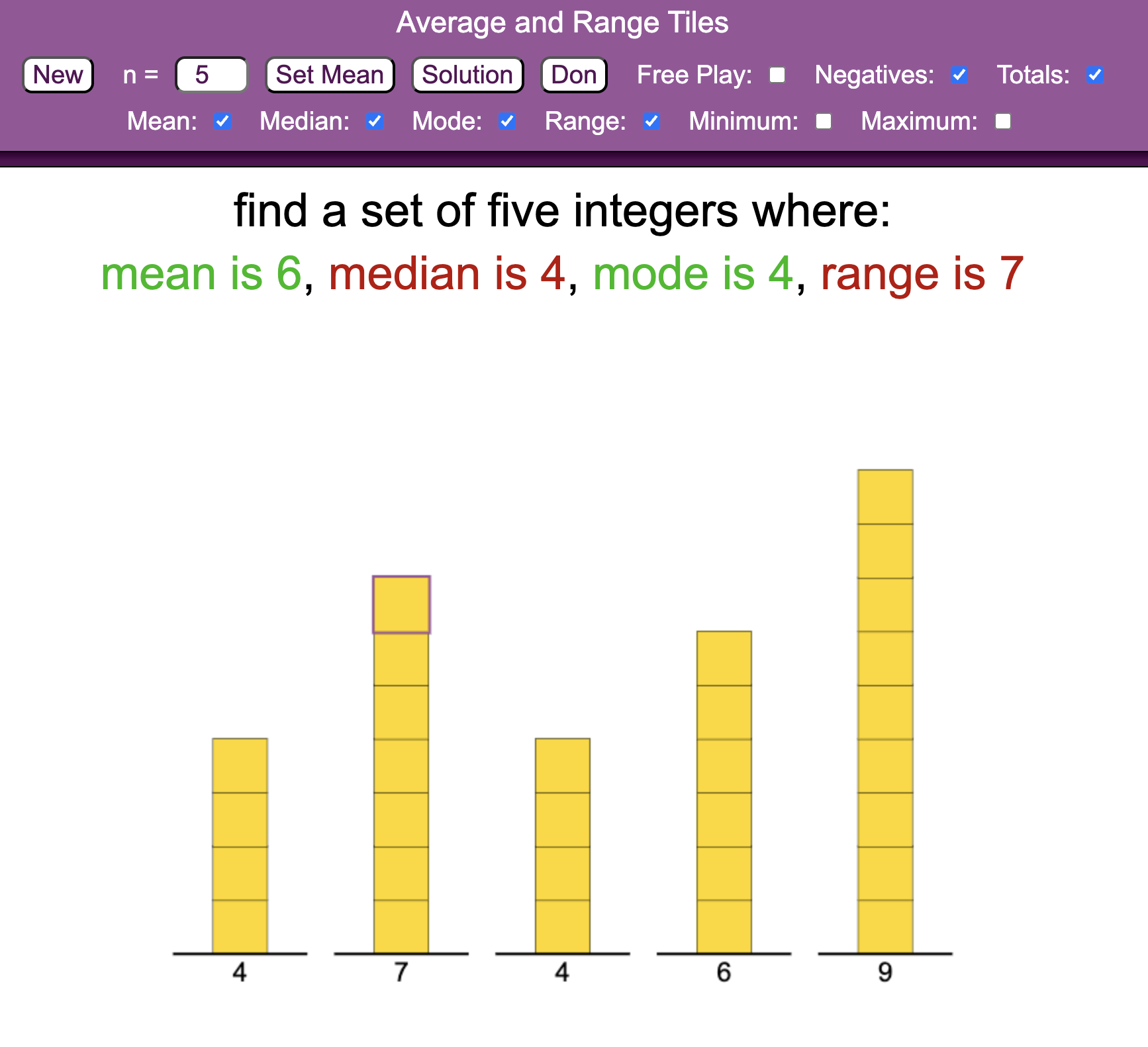
The Average and Range Tiles manipulative (often referred to as Reverse Average Tiles) is a powerful tool for developing a deep conceptual understanding of statistics. Rather than simply calculating averages, pupils must work backwards to construct data sets that satisfy specific constraints for the mean, median, mode, and range.
How the tool works
The interface represents data points as vertical stacks of tiles, which can be adjusted in real-time to meet target statistics. The inclusion of negative tiles alongside the positive supports using the concept of zero pairs in context as well as links to algebraic notation.
- Dynamic Constraint Toggle: Checkboxes allow teachers to set targets for the Mean, Median, Mode, Range, and even Minimum/Maximum values.
- n-Value Adjuster: Controls the number of data points (tiles stacks) in the set, allowing for anything from simple 3-number sets to complex 10-number distributions.
- Visual Feedback: As tiles are added to or removed from a stack, the calculated averages at the top update instantly, allowing for a "trial and improvement" approach to solving complex problems.
Classroom Uses
Explore the idea of averages without calculation Rather than jumping to calculations as definitions of averages, explore what they look like in terms of sharing a total number between groups. This is particularly powerful for understanding the mean.
Solving Reverse Average Problems
The tool is perfectly suited for the "Small Data Set" problems popularised by Don Steward. The tool has a link to his task.
Strategy: Give pupils a target such as: 5 numbers, \(Mean=6\), \(Median=4\), \(Mode=4\), \(Range=7\). Pupils must learn to "anchor" the median and mode first before adjusting the outer stacks to satisfy the mean and range.
Exploring Multiple Solutions
Many reverse average problems have multiple valid configurations.
Strategy: Once a pupil finds one set of integers (e.g., \(1, 7, 7, 9, 11\) for a mean of \(7\)), challenge them to find another by "balancing" the tiles. If they take one tile from the first stack, where must they add it to keep the mean identical?
Teaching Strategy
- The "Total" Concept: Start by teaching that the Mean is the "levelled out" height. If \(n=5\) and the target \(Mean=6\), the Total must be \(30\) (\(5 \times 6\)).
- Set the Anchors: Use the Median and Mode to place the first tiles. These are the most restrictive constraints and should be handled first.
- Use the Range: Adjust the first and last stacks so their difference matches the target Range.
- Balance the Remainder: Add or remove tiles from the remaining stacks until the "Totals" display reaches the required sum.
- Algebraic Connection: For higher-attaining pupils, use the tool alongside algebraic notation (e.g., \(2a + b = 11\)) to prove why certain sets are or aren't possible.
Pedagogical Value
Traditional statistics lessons often focus on the procedure such as adding and dividing to calculate the mean. This tool shifts the focus to magnitude and distribution. By representing numbers as physical stacks, the "Mean" becomes a tangible "Total" that must be distributed across the grid. It reduces the arithmetic load, allowing pupils to focus on the logical interplay between different measures; for instance, how increasing the range might force a change in the mode to maintain a constant mean.