Centre and Variability
phet.colorado.edu/en/simulations/center-and-variability
Center and Variability is a dynamic statistical simulation that allows pupils to explore the relationship between data points and their summary statistics. By "kicking" footballs to various distances, pupils can visualise how measures of central tendency and spread respond to changes in a dataset in real-time.
How the tool works
The tool uses a sports-themed interface where each "kick" generates a data point on a number line, bridging the gap between raw values and abstract representations.
- Interactive Data Entry: Pupils cause a player to "kick" to generate random values, which immediately appear on a line plot and as a list of numbers.
- Predictive Overlays: Before revealing the actual values, pupils can place "prediction" markers for the mean and median, forcing them to engage with the mathematical structure of the data.
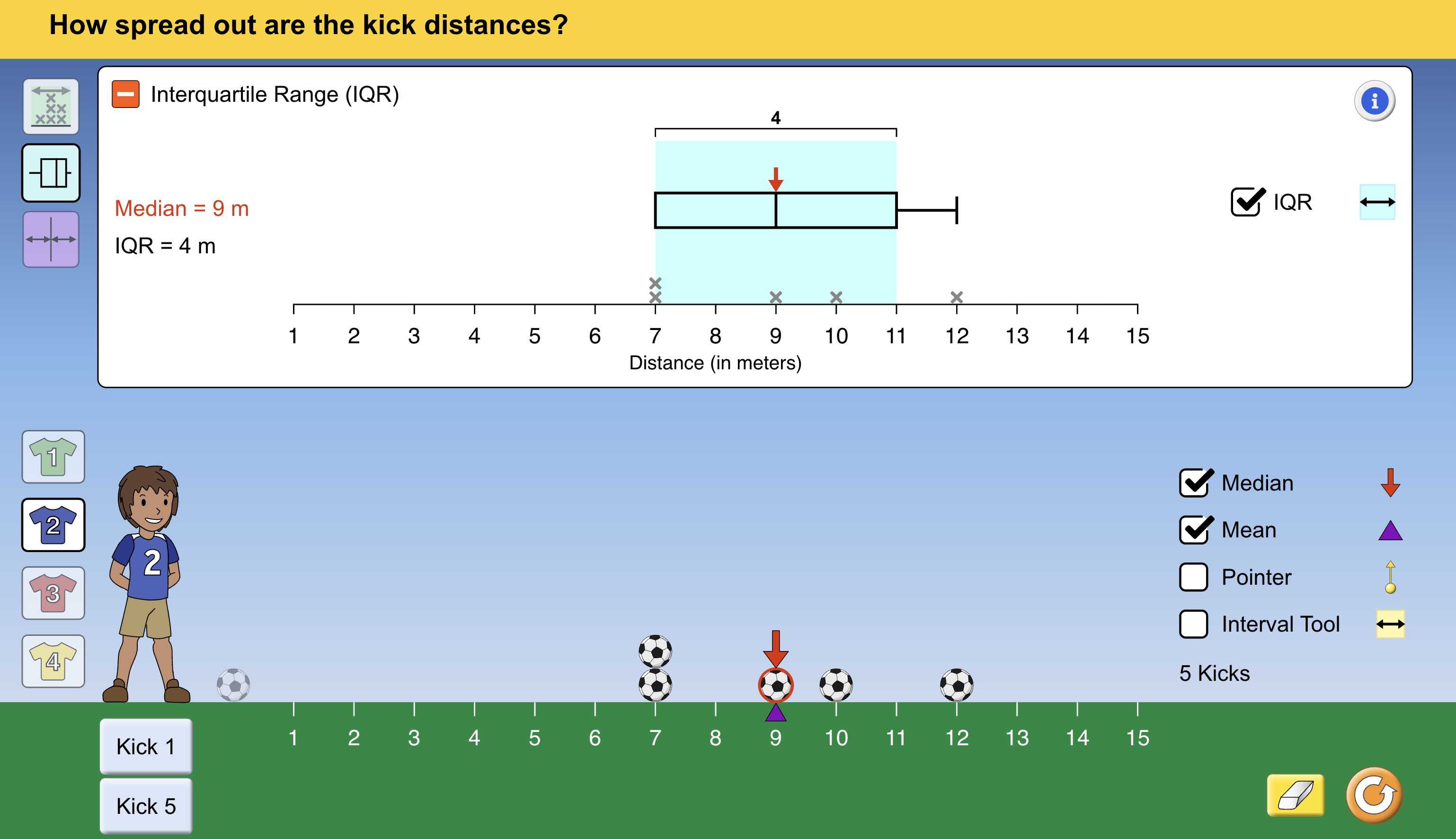
- Visualising Spread: The tool can overlay box-and-whisker plots and shaded regions for the Interquartile Range (\(IQR\)), making the abstract concept of variability tangible.
- Dynamic Updating: Every data point on the line plot can be dragged; as the point moves, the mean, median, and box plot boundaries shift instantly to reflect the new state.
Classroom Uses
The Tug-of-War: Mean vs Median
This simulation is perfect for visualising how outliers affect different averages "across the grain."
- Strategy: Ask pupils to create a cluster of data points around \(10\text{ m}\) and \(11\text{ m}\). Once the mean and median are established, drag a single point to \(1\text{ m}\) or \(15\text{ m}\).
- Discussion: Observe how the mean follows the outlier (the "balancing point" shifts), while the median remains robust. This builds an intuitive understanding of why we choose different averages for different contexts.
Constructing the Box Plot
Pupils often struggle to relate the five-number summary to a physical distribution.
- Example: Use the "IQR" toggle to show the box over the data. Have pupils move points into and out of the shaded blue box to see how the \(Q_1\) and \(Q_3\) boundaries are calculated.
- Deep Dive: Focus on the "whiskers." By dragging the extreme points, pupils can see that while the range changes significantly, the mathematical structure of the "box" (the middle \(50\%\)) might stay exactly the same.
Teaching Strategy
- Kick and Sort: Generate 5 random kicks. Use the "Sort Data" feature to help pupils manually identify the middle value (the median).
- Predict the Balance: Before toggling the "Mean" on, ask pupils to place the purple triangle where they think the distribution would "balance" if the number line were a see-saw.
- The Shift: Toggle the actual mean. Move one of the outer balls and ask: "How far do I have to move this ball to make the mean increase by exactly \(1\text{ m}\)?"
- Reflect: Discuss why the mean moved but the median often stayed put, reinforcing the definition of the mean as the total sum divided by the count.
Pedagogical Value
The primary value of this tool is the reduction of cognitive load. In a traditional lesson, pupils spend the majority of their time on the arithmetic of adding lists and dividing, often losing sight of what the "average" actually represents. This simulation allows for rapid iteration and "what-if" scenarios that are impossible with pen and paper. It makes the mathematical structure of variability visible by allowing pupils to manipulate the dataset and see the statistical consequences immediately, fostering a deeper, more conceptual understanding of data analysis.