Mean: Share and balance
phet.colorado.edu/en/simulations/mean-share-and-balance
This interactive simulation provides a highly visual foundation for the concept of the mean, moving beyond the standard "add and divide" algorithm. It allows pupils to explore the mean as a "fair share" and a "balance point," making the underlying mathematical structure of central tendency accessible and tangible.
How the tool works
The interface is divided into distinct modes that represent the mean through different physical metaphors, helping pupils build conceptual fluency.
- Level Out: Features containers of liquid where pupils can equalise the water levels to find the average height.
- Fair Share/Distribute: Uses discrete objects like candy bars or apples; pupils move items between people to achieve an equal distribution.
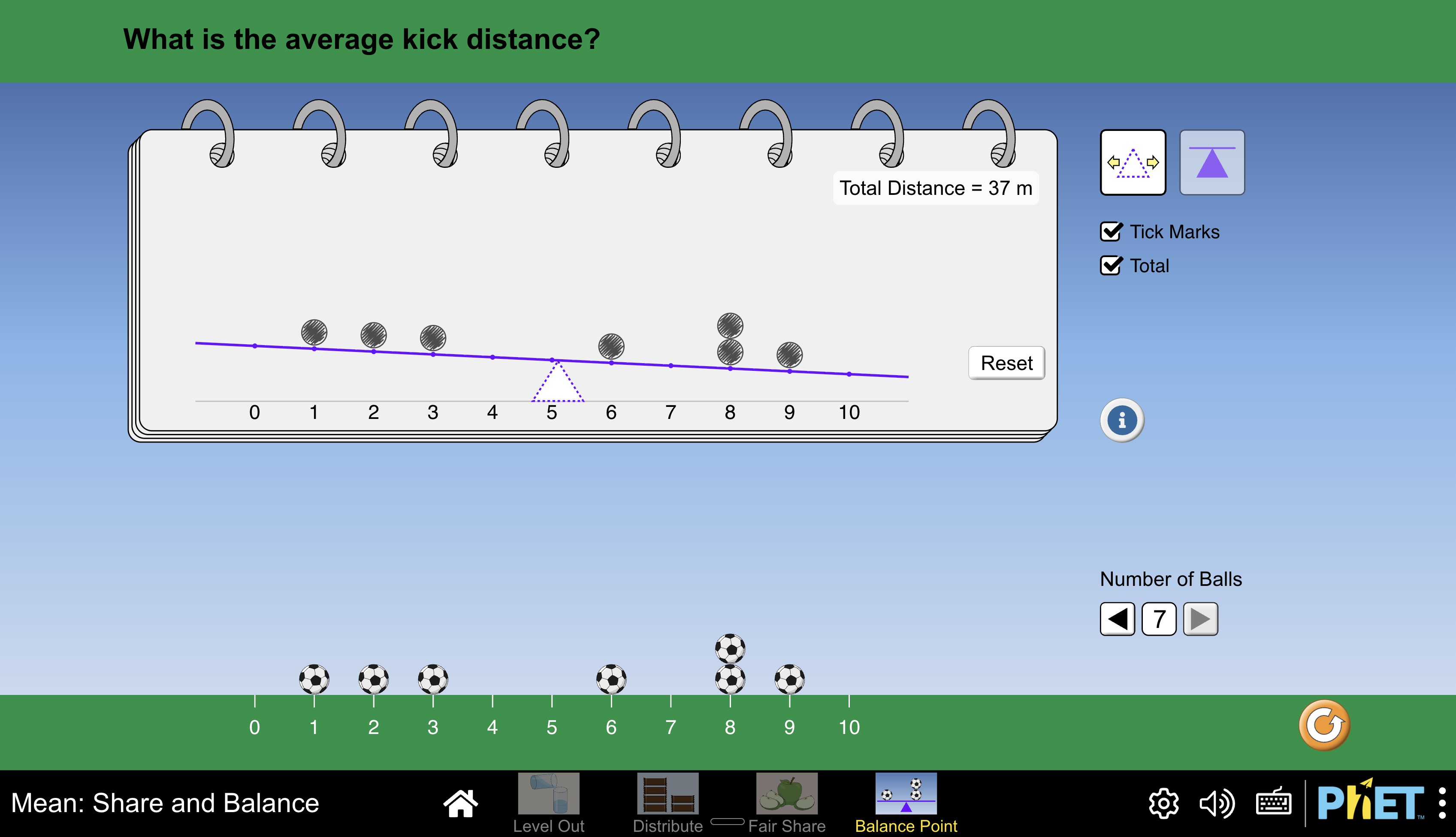
- Balance Point: Represents data points as weights on a see-saw; pupils must find the pivot point that keeps the system in equilibrium.
- Predict & Sync: Pupils can predict the mean before using the "Sync" or "Share" buttons to automate the redistribution and check their thinking.
Classroom Uses
Developing the "Fair Share" Intuition
Before introducing the formal formula, this tool helps pupils understand the mean as a redistribution of a total. By using the Fair Share mode, pupils can see that the total number of items remains constant even as the distribution changes.
- Strategy: Give four people different amounts of apples (e.g., \(2, 1, 6,\) and \(2\)). Ask pupils to "Collect" them into a single pile to see the total of \(11\text{ apples}\), then "Share" them to see the resulting mean height.
Visualising the Mean as a Balance Point
This mode helps pupils understand how the distance of a data point from the centre affects its "weight" in the calculation, which is essential for understanding outliers.
- Example: Place several footballs on a number line and activate the see-saw. Move a ball to an extreme value like \(10\text{ m}\) and watch how the balance point must shift to compensate, teaching the concept across the grain by focusing on distance rather than just values.
Equalising Continuous Data
The Level Out mode is excellent for transitionary lessons between physical measures and abstract statistics.
- Strategy: Use two or more cups with different water levels. Ask pupils to predict the "levelled-out" height before opening the valve to let the water reach its mean height automatically.
Teaching Strategy
- Prediction Phase: Start in the "Fair Share" mode with a set of apples. Ask pupils to predict the mean without counting the total first.
- The Redistribution: Have pupils manually move the items one by one until every person has the same amount (or as close as possible).
- Algorithmic Connection: Once the "Fair Share" is found, reveal the "Total". Ask: "If we have \(11\text{ apples}\) and \(4\text{ people}\), how does the sum relate to our share?".
- Testing Sensitivity: Switch to "Balance Point" and move a single ball. Challenge pupils to move a different ball to bring the mean back to its original position.
Pedagogical Value
This tool helps pupils understand the mathematical structure of the mean before focusing on the algorithm for calculation. By visualising the mean through physical models like see-saws and fluid levels, it makes "invisible" concepts like the effect of outliers or the conservation of a total sum visible. It is far superior to purely process orientated approaches to initial conceptualisation, as it allows pupils to experiment with data dynamically and build an intuitive sense of "averaging" before they ever touch a calculator.